How to Create a Business Website in the Philippines
You don't need a developer or a big budget to give your business a home online. With BeezLink you can build a mobile-friendly page with your menu or products, hours and contact details, then share one link everywhere your customers are. This guide walks through the real product, screen by screen.
By BeezLink · Published
What you can do on the Free plan
BeezLink's Free plan costs ₱0 and has no time limit. It includes:
- beezlink.com/yourname page
- Up to 10 products or services
- Reservations
- “Contact seller” checkout
- Shows 3 BeezLink ad slots
That's enough to publish a real page and start sharing it. The limits are covered in When to upgrade.
Step 1: Set up your page
Once you have a BeezLink account and sign in, a short four-step setup creates your page. A live preview on the right fills in as you go.
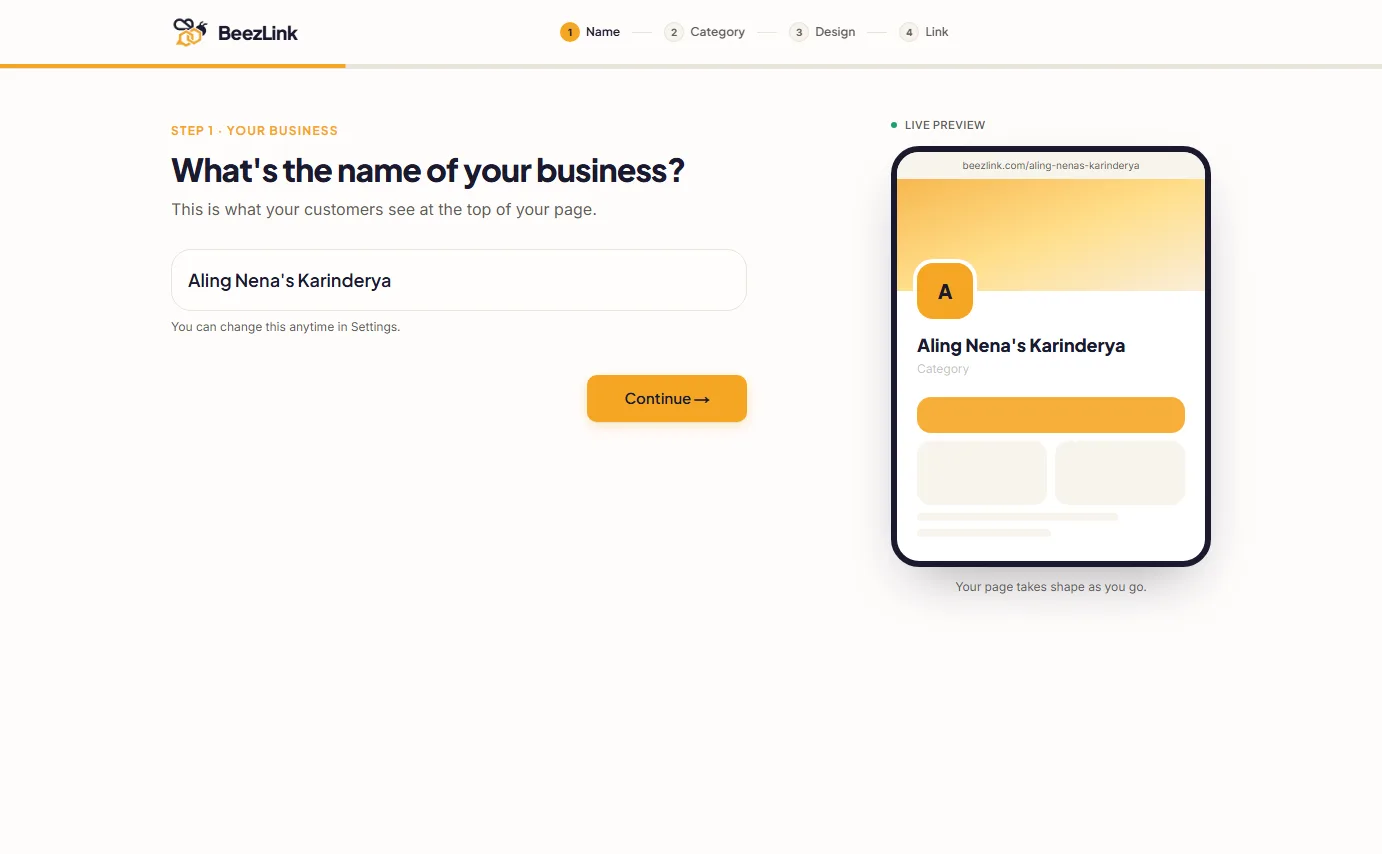
Name your business
Type the name customers know you by. You can change it later in Settings.
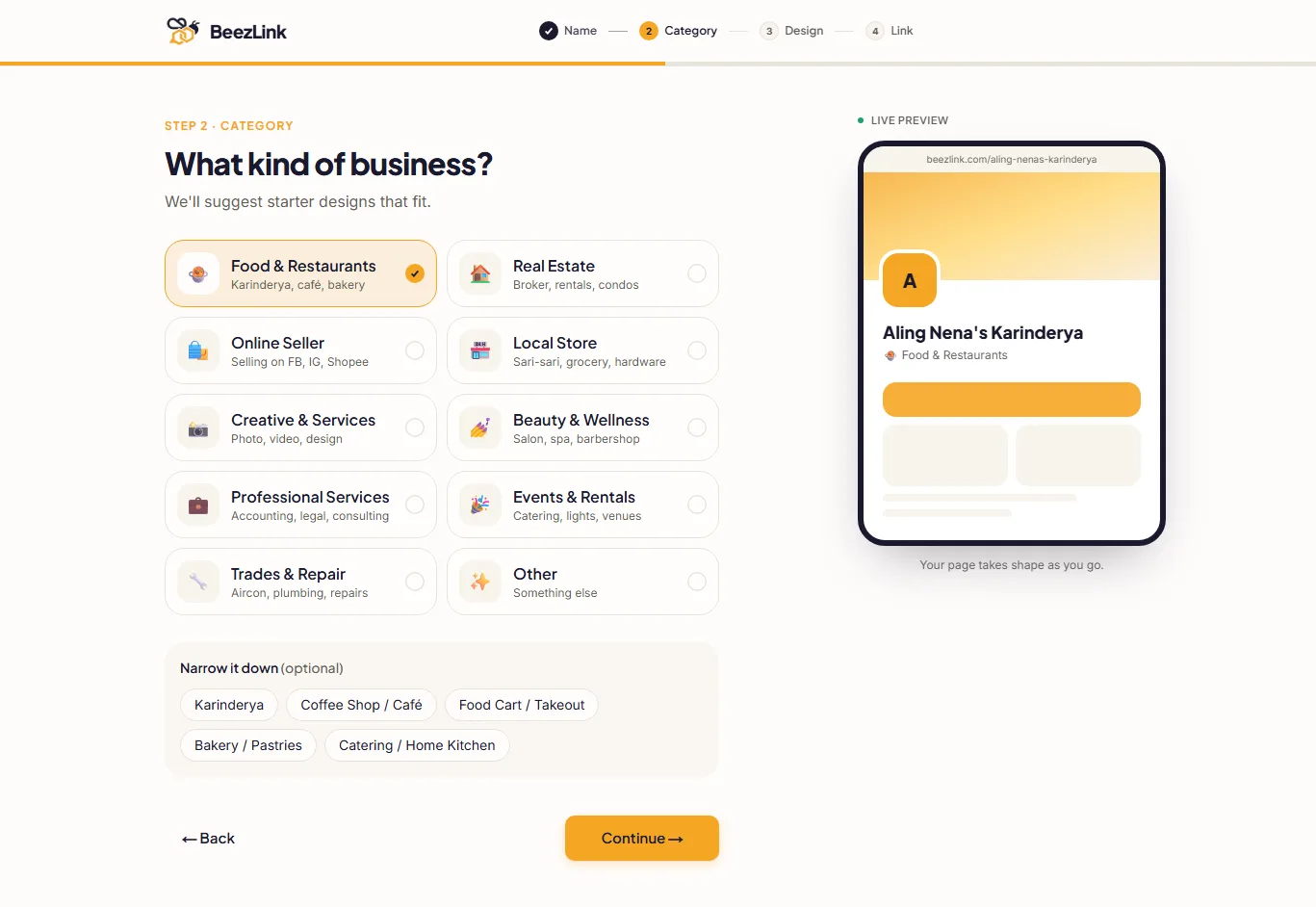
Pick your category
Choose the type of business that fits best, such as Food & Restaurants or Online Seller. You can narrow it down further, for example to Karinderya or Coffee Shop. BeezLink uses this to suggest starter designs.
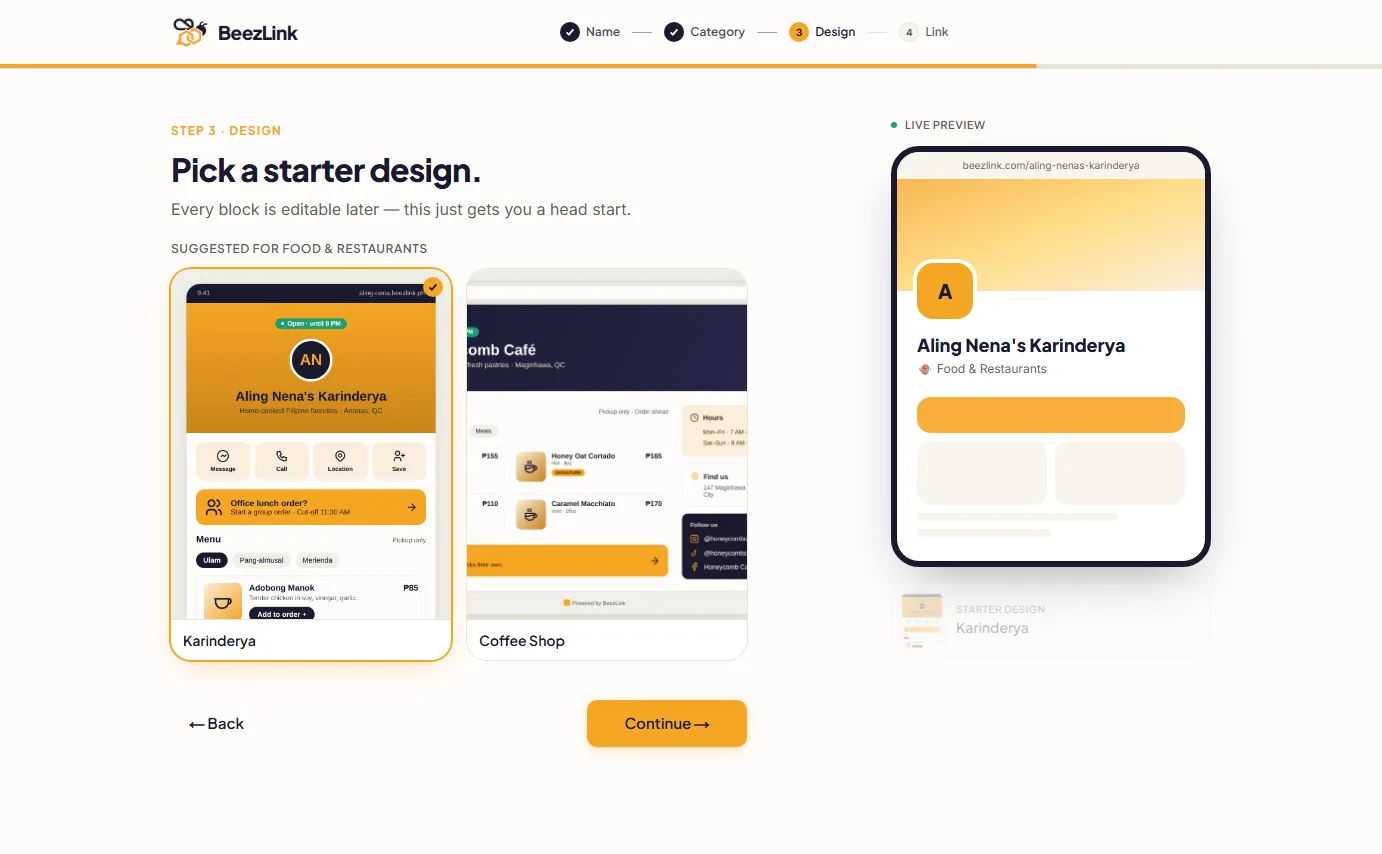
Choose a starter design
Pick a starter design suggested for your category. It comes with example blocks you'll replace with your own details. Every block can be edited later, so don't worry about choosing perfectly.
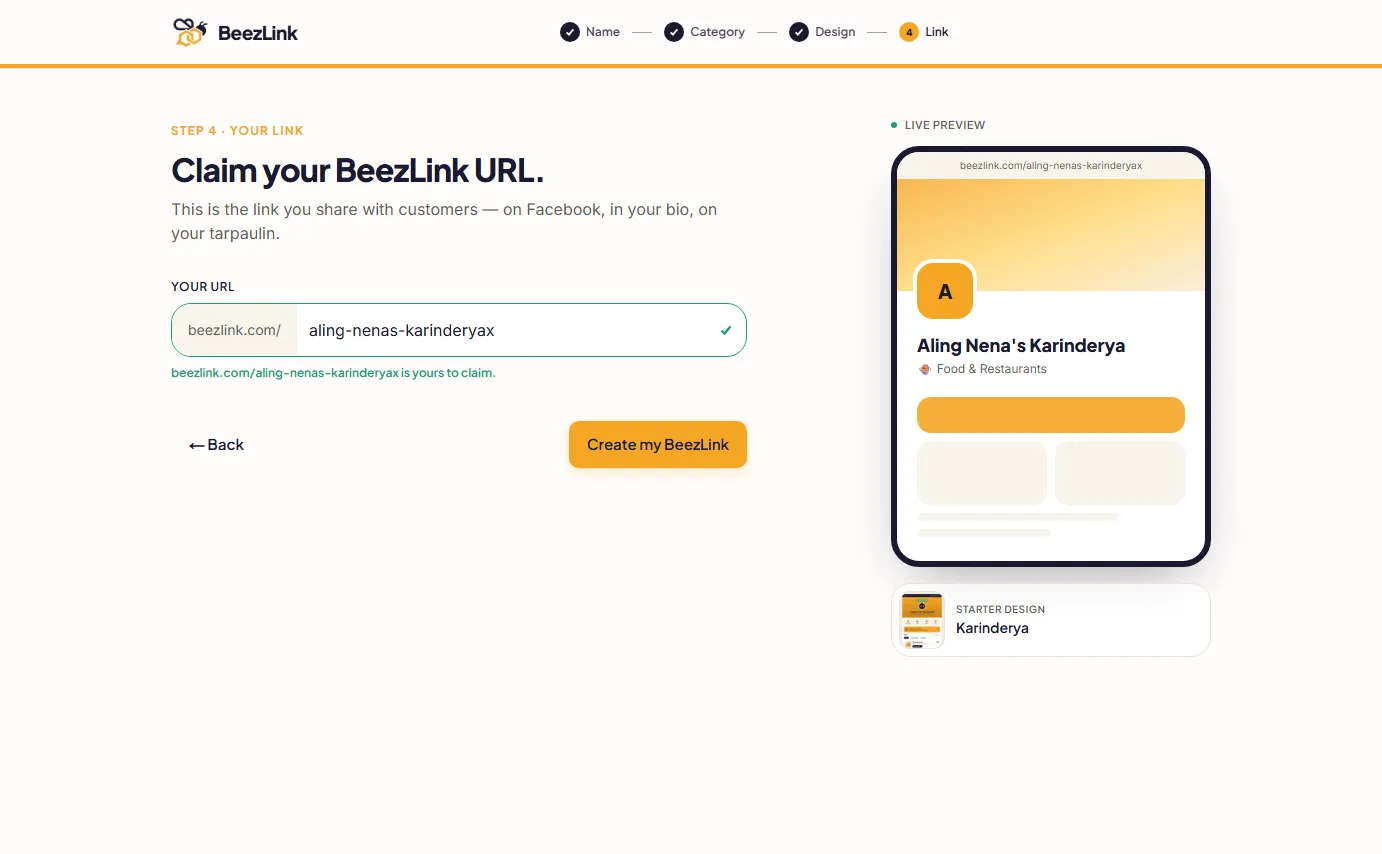
Claim your link
Your page lives at beezlink.com/yourname. BeezLink suggests a link based on your business name and checks that it's free. Use lowercase letters, numbers and hyphens. Keep it short and easy to say out loud.
Step 2: Add your business details
Next, open the Page builder from the sidebar. Your page is made of blocks. Click a block on the phone preview to edit it, or add new ones from the Blocks list on the left. Changes save automatically.
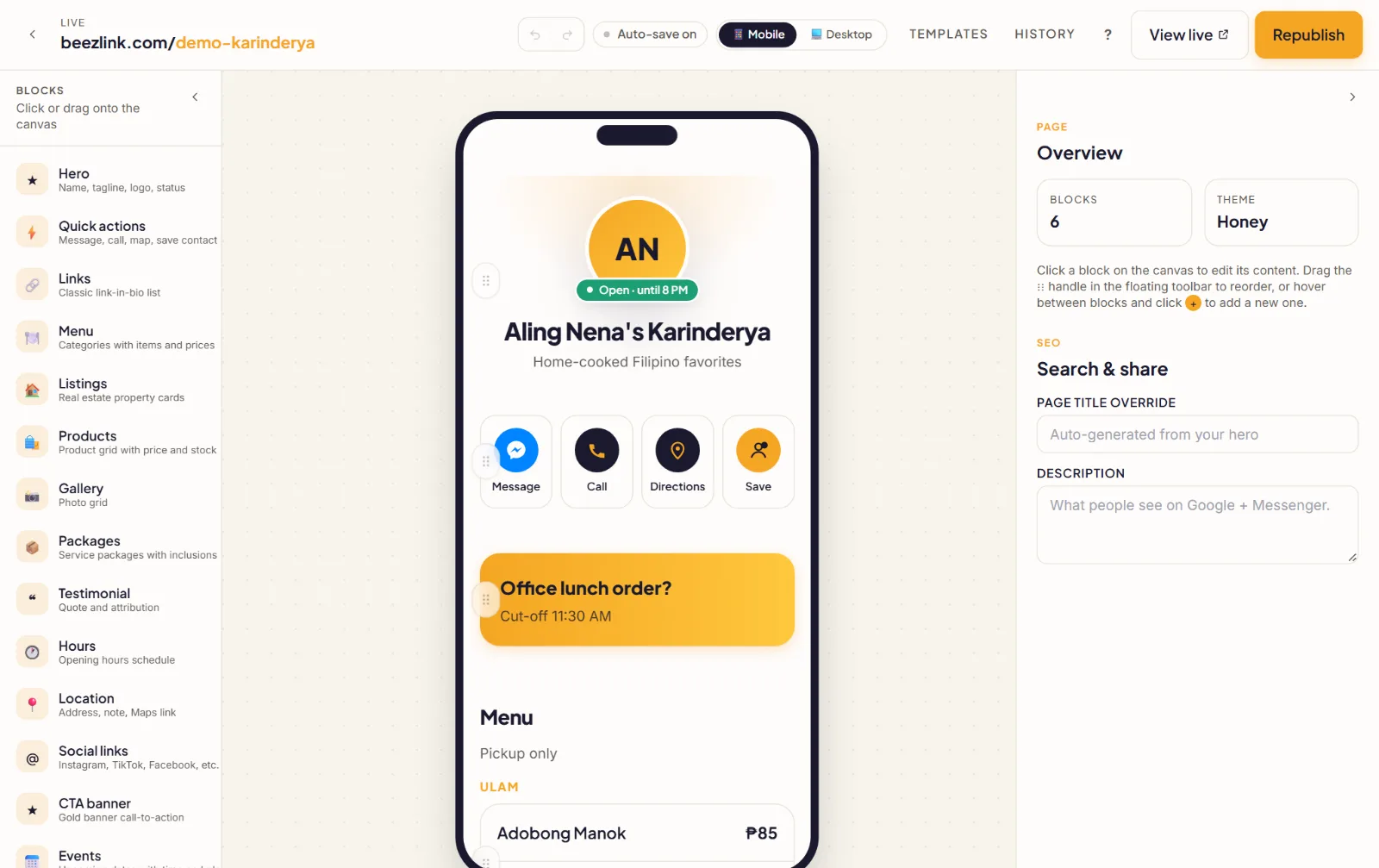
Start with the blocks customers look for first:
- Hero: your name, a short tagline and your logo, at the top of the page.
- Quick actions: one-tap buttons like Message (Messenger), Call, Directions and Save contact.
- Location: your address, a note such as a landmark, and a Maps link.
- Hours: your opening schedule, so customers know when to visit or order.
Under Search & share on the right, you can also write the title and short description people see on Google and when your link is shared in Messenger.
Step 3: Add your menu or products
There are two ways to list what you sell. Use the one that fits.
Menu block: for food businesses
Add a Menu block in the page builder. Group dishes into categories, such as Ulam or Kanin, and add each item with its price.
Products: for a catalog
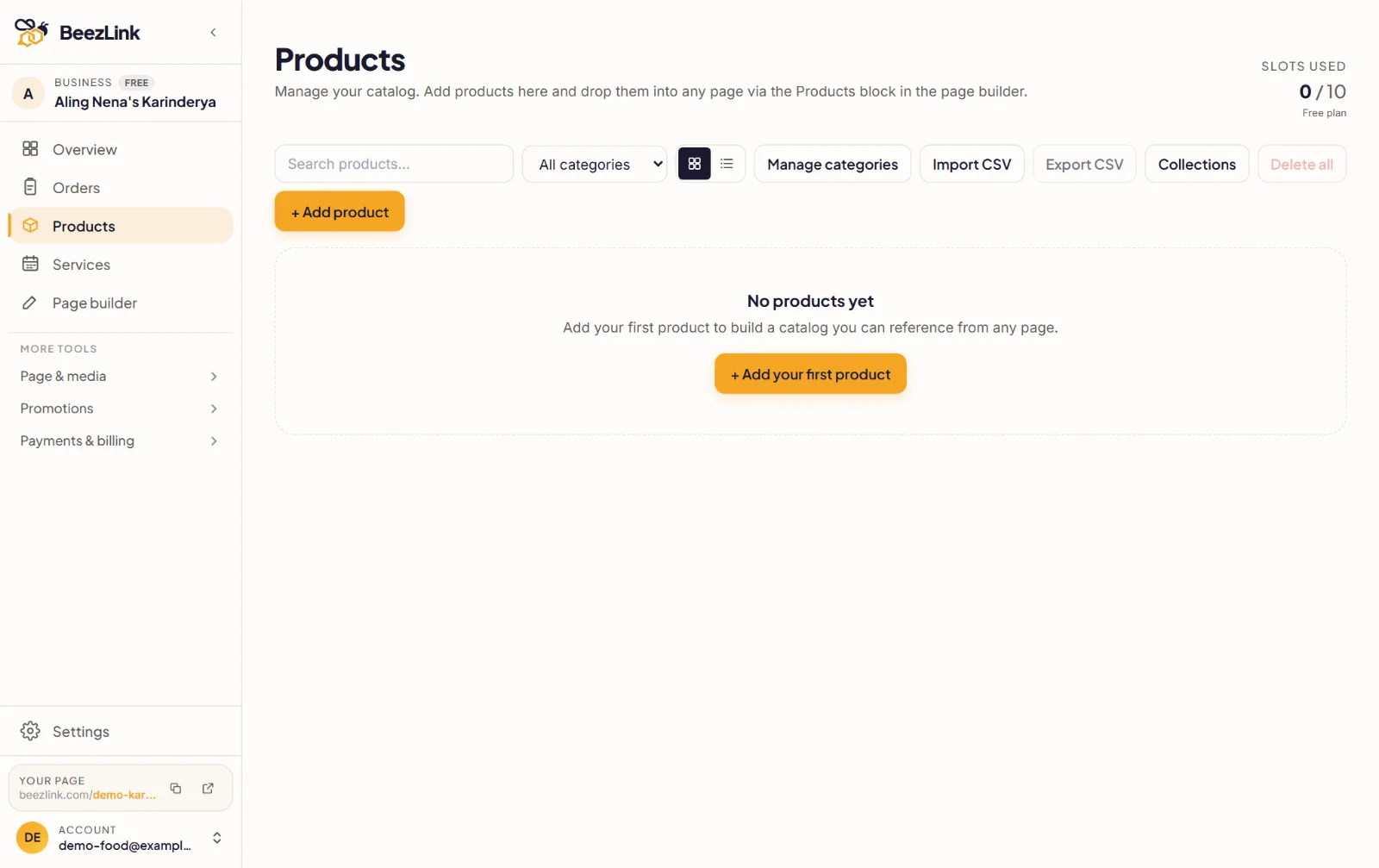
Open Products in the sidebar to build a catalog with photos, prices and stock. Then show it on your page with the Products block. The Free plan has room for 10 products or services. Have a long list? Use Import CSV to add them from a spreadsheet.
Step 4: Preview and publish
Use the Mobile and Desktop switch at the top of the page builder to check how your page looks. Most customers will open it on a phone, so check Mobile first.
When you're happy, click Publish. After that, the button says Republish, so you can push later changes live. Click View live to open your public page.
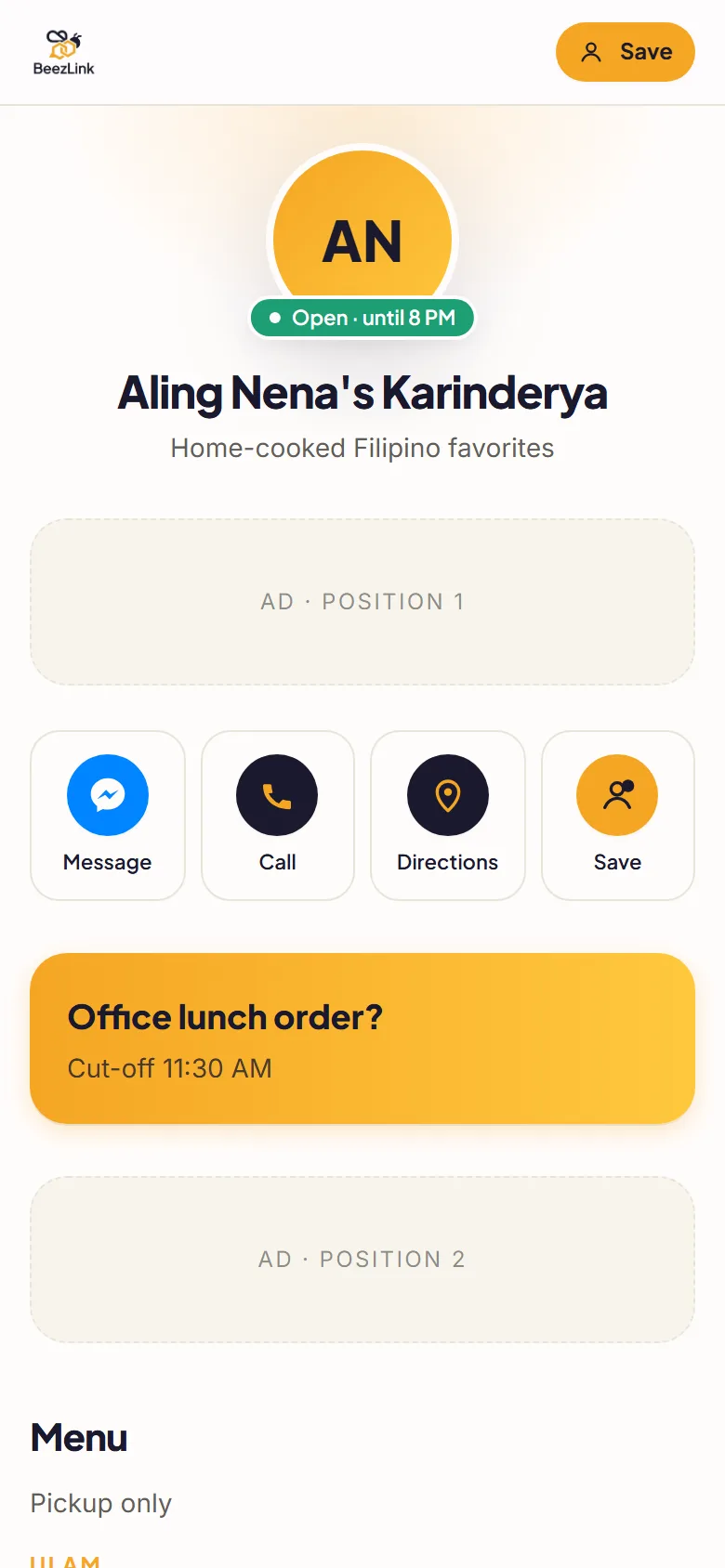
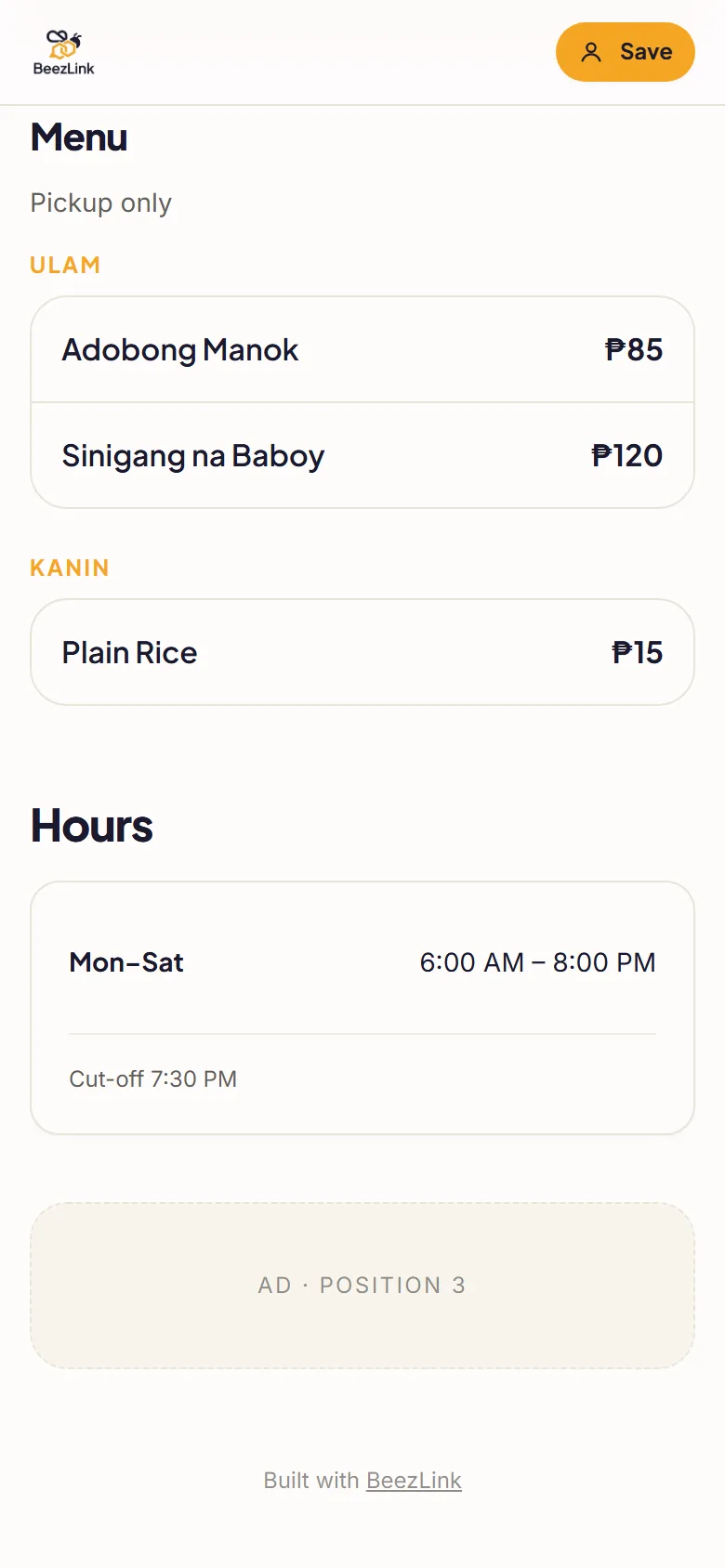
On the Free plan, your page shows three BeezLink ad slots, like the ones above.
Step 5: Share your link
Copy your link from the Your page card at the bottom of the sidebar, then put it everywhere customers look for you:
- Your Facebook Page details and pinned post
- Messenger replies, when customers ask for your menu or prices
- Your Instagram and TikTok bio
- A QR code on your counter, packaging or flyers
When your menu or prices change, update the page and republish. The link stays the same, so you never have to re-share it.
Checklist before you share
- Business name spelled the way customers know it
- Clear photos of your food, products or work
- Prices for every menu item or product
- Opening hours, including days you're closed
- Messenger, phone or other ways to contact you
- Your location or service area, with a Maps link
- Your link added to your Facebook Page, bios and printed materials
When to upgrade
The Free plan has a few limits to know about:
- Up to 10 products or services
- 1 template
- 3 BeezLink ad slots on your page
- “Contact seller” checkout: customers send their order to you, with no cart on your page
- 25 MB of storage for photos
Pro · ₱1,249 / per year
- Up to 100 products or services
- No BeezLink ads
- Cart and checkout
- Inventory and variants
- Manual payments: GCash QR or bank transfer with proof
Pro+ · ₱1,999 / per year
- Up to 500 products or services
- Online payments through PayMongo
- Custom domain support
- Vouchers, member pricing and rewards
- Staff scheduling and advanced analytics
Paid plans are billed once a year and do not auto-renew. Pay with GCash, Maya or card.
Keep going
- BeezLink for food businesses: menus, hours and ordering
- BeezLink for online sellers: a catalog you can share
- Templates: starter designs by business type
- Pricing: compare Free, Pro and Pro+