For Facebook, Instagram, TikTok and marketplace sellers

Give your products one place to be seen.

Create a mobile-friendly catalog for your business without coding. Add products and business details, then share one BeezLink across your social profiles and customer chats.

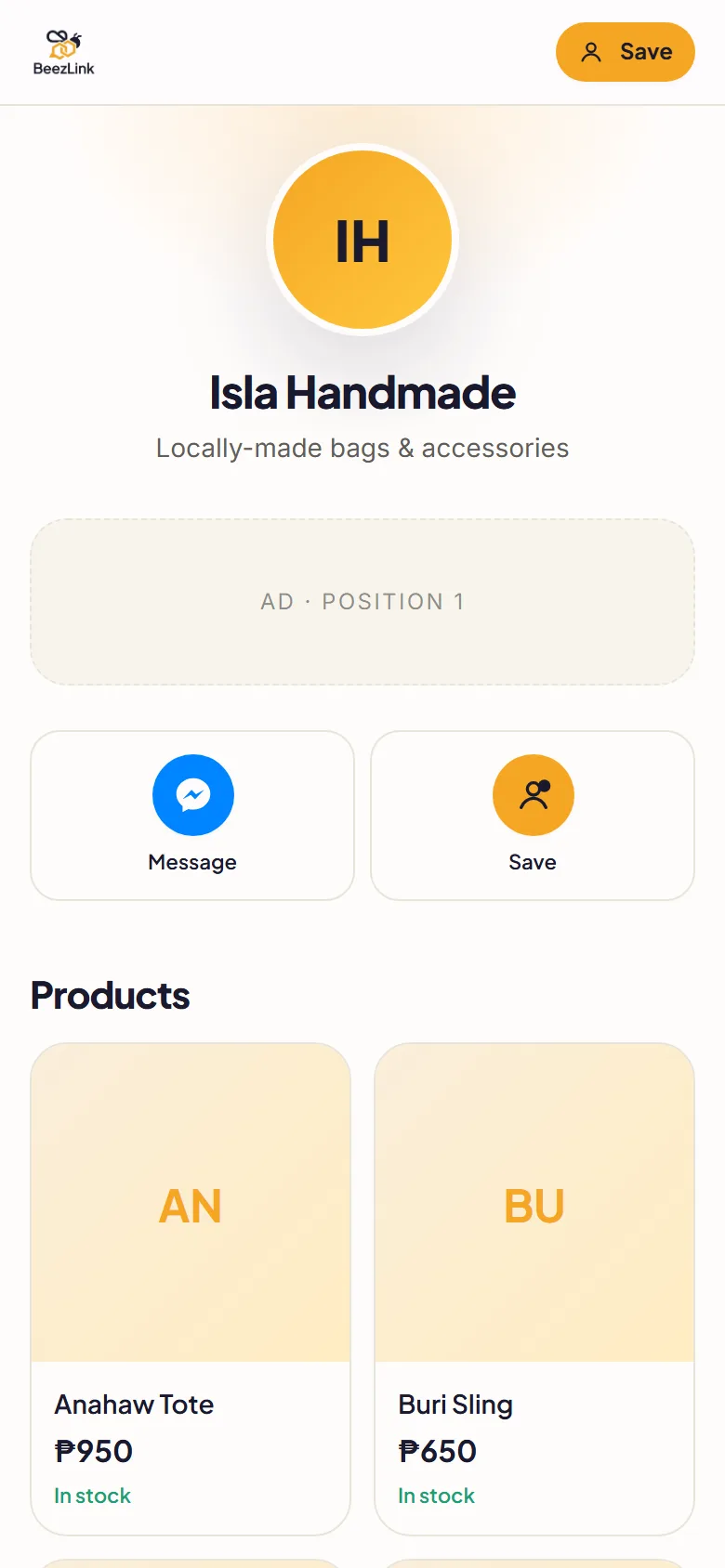
Example BeezLink page for a handmade bag shop: shop name, Message and Save buttons, and the start of a product grid
Example page · demo content
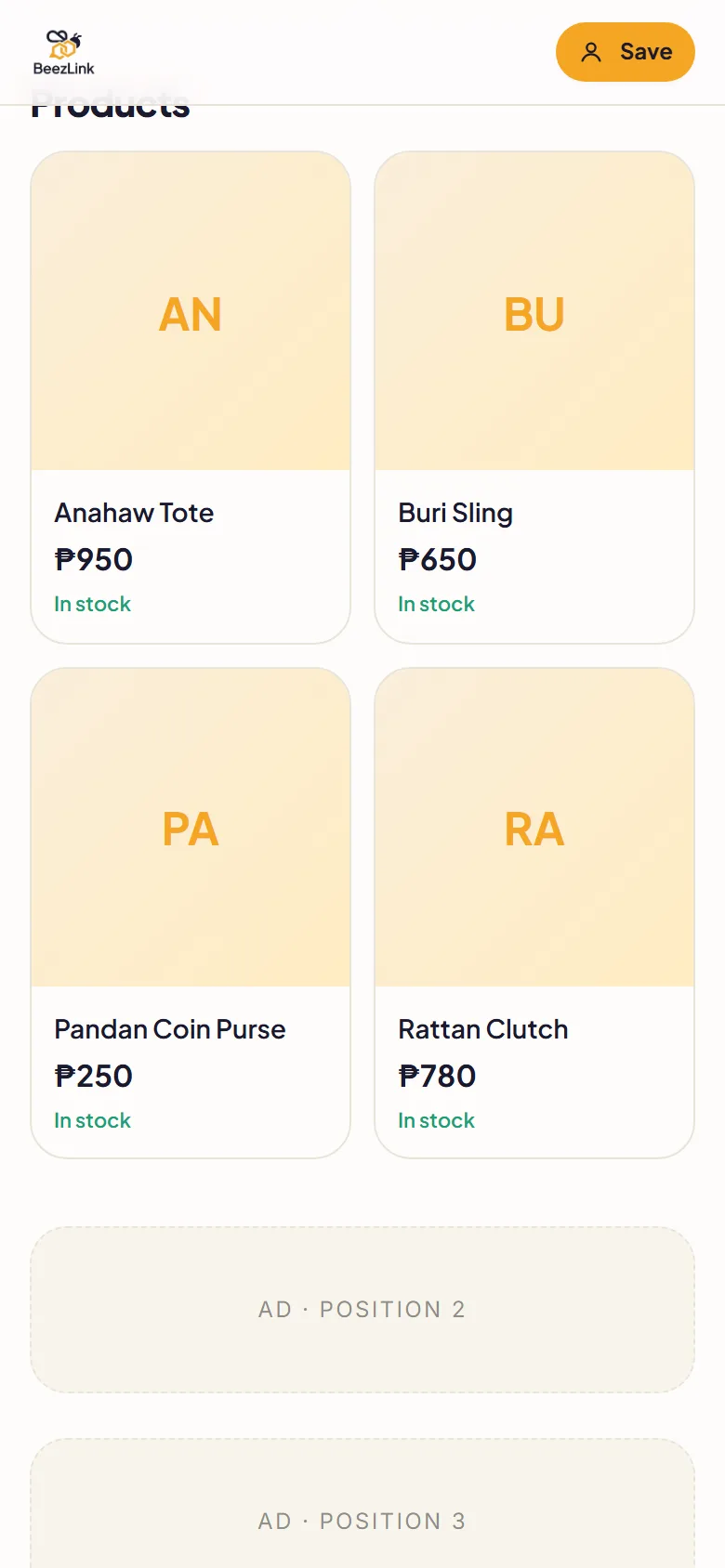
Example BeezLink product grid: Anahaw Tote ₱950, Buri Sling ₱650, Pandan Coin Purse ₱250 and Rattan Clutch ₱780, each marked in stock
Example page · demo content

A catalog customers can browse on their phones.

Posts get buried and product albums are hard to scroll. Put your products, prices and contact links on one page, so customers can see what you sell before they message you — and you can send the same link every time someone asks “how much?”.

  • Product grid

    Photos, names and peso prices in a grid that fits a phone screen.

  • Stock status

    Show which items are in stock so customers know before they message you.

  • Message and save contact

    Messenger and Save contact buttons sit near the top of your page.

  • Social links

    Link your Facebook Page, Instagram, TikTok and other shops in one place.

Set up your catalog in four steps.

The full walkthrough, with screenshots, is in how to create a business website in the Philippines.

  1. Choose a seller template

    Start from the Online Seller or Sari-sari Store template. Replace the sample blocks with your own.

  2. Add your business details and products

    Add your shop name, then your products with photos, prices and stock status.

  3. Connect your contact buttons

    Add your Messenger, phone number and social links so customers can reach you in one tap.

  4. Preview, publish and share

    Preview on your phone, publish, then paste your link in your Instagram or TikTok bio, your Facebook Page details, customer chats or a QR code.

Start small. Add selling tools when you need them.

Begin with up to 10 products on Free. Cart, checkout, inventory and payments come with the paid plans.

Free

Get your business page online.

₱0/ forever

  • beezlink.com/yourname page
  • Up to 10 products or services
  • Reservations
  • “Contact seller” checkout
  • Shows 3 BeezLink ad slots

Checkout: Customers send their order to you through “contact seller”. No in-page cart.

Pro

Take orders on your page, without ads.

₱1,249/ per year

  • Up to 100 products or services
  • No BeezLink ads
  • Cart and checkout
  • Inventory and variants
  • Manual payments: GCash QR or bank transfer with proof

Checkout: Cart and checkout. Customers pay you directly by GCash QR or bank transfer and upload proof.

Pro+

Online payments and your own domain.

₱1,999/ per year

  • Up to 500 products or services
  • Online payments through PayMongo
  • Custom domain support
  • Vouchers, member pricing and rewards
  • Staff scheduling and advanced analytics

Checkout: Cart and checkout with online payment through PayMongo (GCash, Maya, card). Fees apply to online payments.

Paid plans are billed once a year and do not auto-renew. Pay with GCash, Maya or card. See the full plan comparison.

Questions from online sellers.

Can I share this on Facebook, Instagram or TikTok?

Yes. Copy your published BeezLink and paste it into your bio, Page details or messages wherever the platform allows links. BeezLink is a separate page — it doesn't connect to or post on your social accounts.

How many products can I add?

Free fits up to 10 products or services, Pro up to 100, and Pro+ up to 500.

Is online payment included in Free?

No. Free uses “contact seller” checkout — customers message you to order. Pro (₱1,249/year) adds cart and checkout with manual GCash QR or bank transfer with proof. Pro+ (₱1,999/year) adds online payments through PayMongo; fees apply to online payments.

Can I track stock and sizes or colors?

Inventory tracking and variants are included from Pro. On Free you can still show whether an item is in stock.

Do I need a developer?

No. Choose a template and edit your business blocks without coding.

Give your products one link.

Start with the Free plan and add cart, checkout and payments when your shop needs them.