For karinderyas, cafés and home-based food sellers

Your food business, ready to share in one link.

BeezLink gives your food business a mobile-friendly page with your menu, prices, hours and contact buttons. Build it without coding, then share one link on Facebook, Messenger or your social bio.

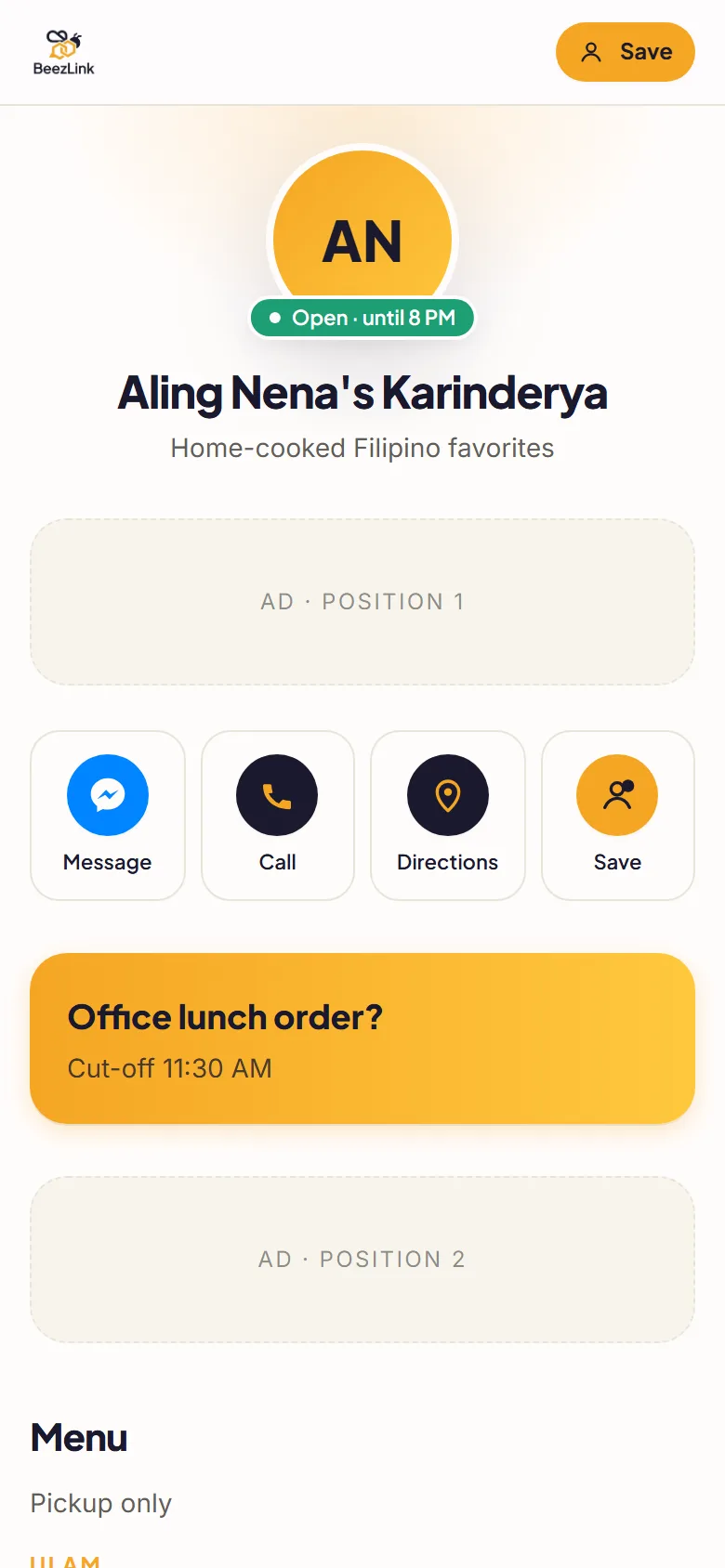
Example BeezLink page for a karinderya: business name, open until 8 PM status, and Message, Call, Directions and Save buttons
Example page · demo content
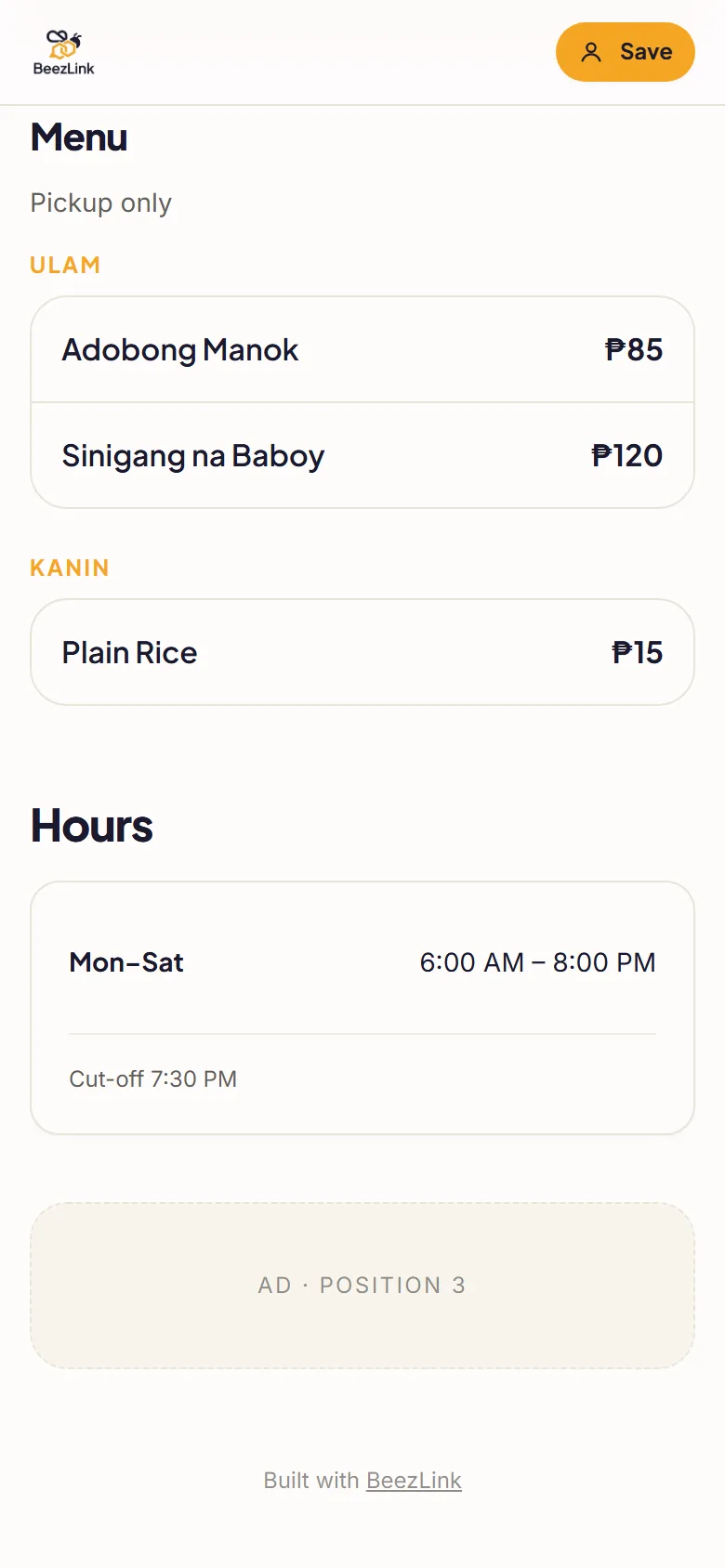
Example BeezLink menu: Ulam and Kanin categories with Adobong Manok ₱85, Sinigang na Baboy ₱120 and Plain Rice ₱15, followed by opening hours
Example page · demo content

Spend less time repeating the basics.

Customers keep asking the same things in chat: What's on the menu today? How much? Are you open? Where are you? Put the answers on one page and send the link instead. When your menu changes, update the page and keep sharing the same link.

  • Menu with prices

    Group dishes into categories like Ulam, Kanin or Drinks, each with its peso price.

  • Open or closed, at a glance

    Your hours sit on the page, with an open or closed status customers can see right away.

  • One-tap contact

    Message (Messenger), Call, Directions and Save contact buttons near the top.

  • Location and socials

    Add your address with a Google Maps link, plus your Facebook, Instagram or TikTok.

From template to business page.

Want the full walkthrough with screenshots? Read how to create a business website in the Philippines.

  1. Choose a food template

    Start from the Karinderya or Coffee Shop template. It comes with sample blocks you replace with your own.

  2. Add your details and menu

    Type your business name, then your menu categories, dishes and prices in the page builder.

  3. Check hours, location and contact buttons

    Set your opening hours, add your address and connect your Messenger and phone number.

  4. Preview, publish and share

    Preview on your phone, publish, then share your link on your Facebook Page, in Messenger, in your Instagram or TikTok bio, or as a QR code.

Pick the tools your business needs.

Every plan shows your menu. Ordering and payment options depend on your plan — not every feature is on Free.

Free

Get your business page online.

₱0/ forever

  • beezlink.com/yourname page
  • Up to 10 products or services
  • Reservations
  • “Contact seller” checkout
  • Shows 3 BeezLink ad slots

Checkout: Customers send their order to you through “contact seller”. No in-page cart.

Pro

Take orders on your page, without ads.

₱1,249/ per year

  • Up to 100 products or services
  • No BeezLink ads
  • Cart and checkout
  • Inventory and variants
  • Manual payments: GCash QR or bank transfer with proof

Checkout: Cart and checkout. Customers pay you directly by GCash QR or bank transfer and upload proof.

Pro+

Online payments and your own domain.

₱1,999/ per year

  • Up to 500 products or services
  • Online payments through PayMongo
  • Custom domain support
  • Vouchers, member pricing and rewards
  • Staff scheduling and advanced analytics

Checkout: Cart and checkout with online payment through PayMongo (GCash, Maya, card). Fees apply to online payments.

Paid plans are billed once a year and do not auto-renew. Pay with GCash, Maya or card. See the full plan comparison.

Questions from food sellers.

Can I start without paying?

Yes. The Free plan is ₱0 forever. It includes up to 10 products or services, reservations and “contact seller” checkout. BeezLink ads appear on Free pages.

Can customers pay through GCash?

It depends on your plan. On Free, customers contact you to order. Pro (₱1,249/year) adds cart and checkout with manual payment: customers pay by GCash QR or bank transfer and upload proof. Pro+ (₱1,999/year) adds online payments through PayMongo (GCash, Maya, card); fees apply to online payments.

Is this only for restaurants?

No. Karinderyas, cafés, food carts and home-based food sellers can all use it. Pick the template closest to your business and edit every block.

Can I change my menu later?

Yes. Edit your menu in the page builder and publish again. Your link stays the same, so customers always see the latest menu.

Do I need a developer or coding skills?

No. You fill in simple blocks — menu, hours, location, contact buttons — and publish.

Put your menu in one link.

Start with the Free plan and upgrade only when you need ordering or online payments.